Affiliate: refer customers, earn commission
You recommend ainius to others. When they buy a plan for the first time through your link or code, they get a discount and you earn commission. You choose how much goes to the customer and how much to you.
Updated 30 October 2026
1. Send an application
- Sign in to ainius and click “Affiliate” at the top of the page.
- Fill in your name, email, links to your channels (TikTok, Facebook, YouTube, website…), follower count and the commission you’d like.
- Accept the terms and send. ainius reviews it and emails you when you’re approved.
Note: If you applied while signed out, sign in with the same email after approval to get your affiliate dashboard.
2. Get your referral link and code
Once approved, open the “Affiliate dashboard” (the Affiliate item, or the Me page on mobile).
- No code yet: click “Create referral code” and pick 4–20 letters or digits.
- “Your referral link” is at the top. Click Copy and send it to the people you refer.
- Anyone who opens your link is credited to you for 30 days. When they buy, your code is applied for them.
- Customers can also type your code in “Have a referral code?” at checkout.
- Use “Change code” to rename it. Links with your old code keep working, and customers already linked to you stay yours.
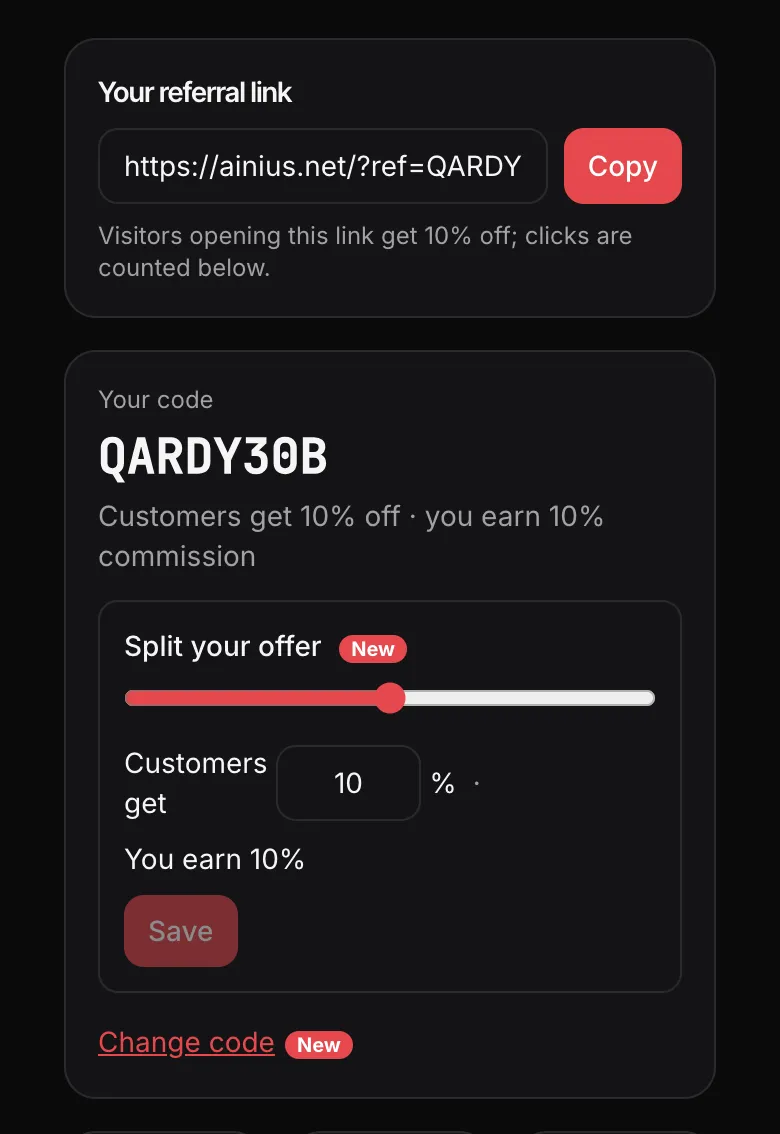
3. Split the discount between the customer and you
Each order has a reward share (by default 20% of what the customer pays). Under “Split your offer” you choose how many percent the customer gets off. The rest is your commission.
Example: with 20% in total, giving the customer 10% off leaves you 10%. Give 0% and the customer pays full price while you keep the full 20%.
Note: A new split applies to orders created after you click Save. Existing orders keep the old split.
4. When you get paid
- The customer pays: the commission shows as “Pending”.
- After 7 days with no refund, it becomes “Approved (to be paid)”. If the customer is refunded, the commission for that order is cancelled.
- ainius transfers approved commission to the “Payout account” you enter at the bottom of the page, then marks it “Paid”.
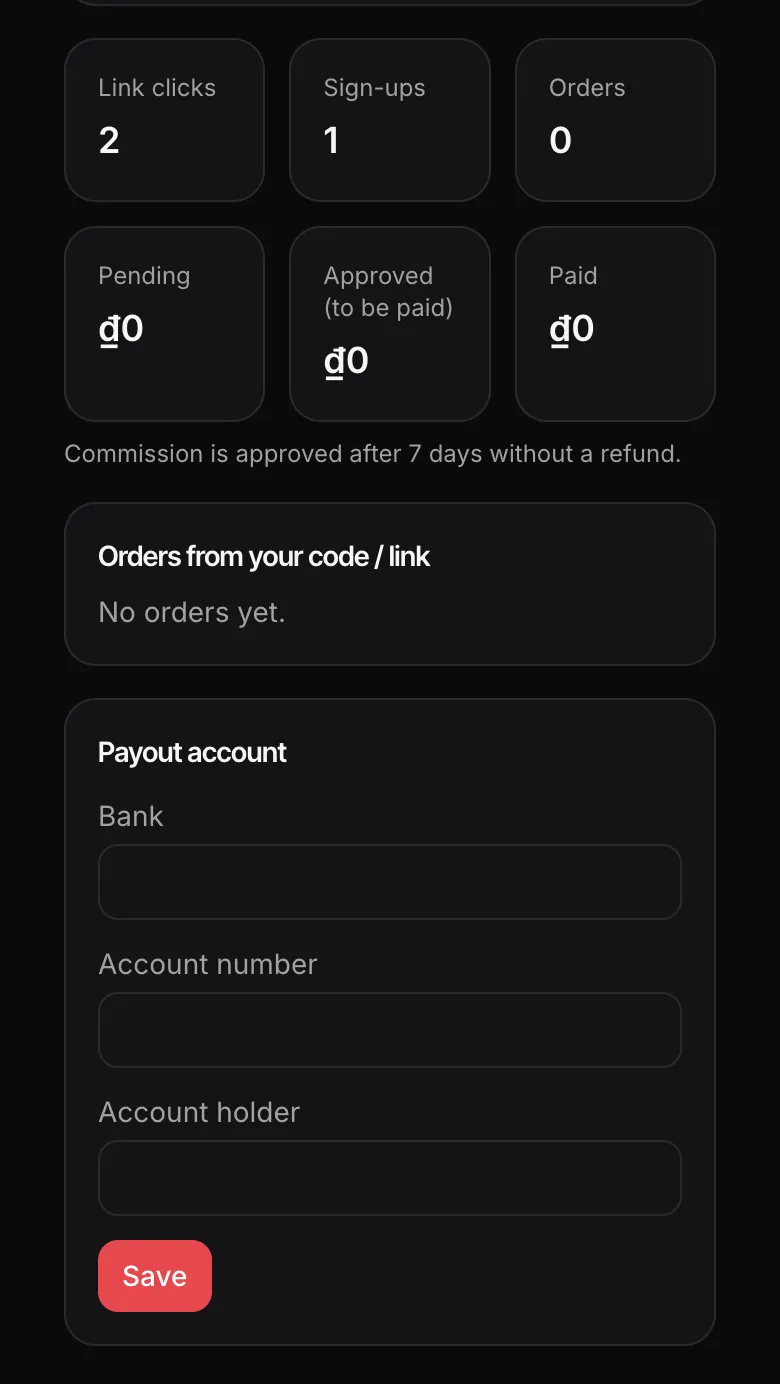
Note: Fill in your bank, account number and account holder name correctly, otherwise ainius can’t pay you yet.
FAQ
Does the code work for every order a customer makes?
No. Your link and code only count for a customer’s FIRST paid order. Customers who have bought a plan before can’t use a code.
Can I use my own code?
No. Your own orders don’t earn commission and don’t get your code’s discount.
Can a referral code be combined with other offers?
No. Each order uses one offer only.
What is commission calculated on?
On what the customer actually paid, after their discount.
Where do I see orders from my link?
Under “Orders from your code / link” on the Affiliate dashboard: date, amount, commission and status for each order. Customer emails are not shown.