AI instructions
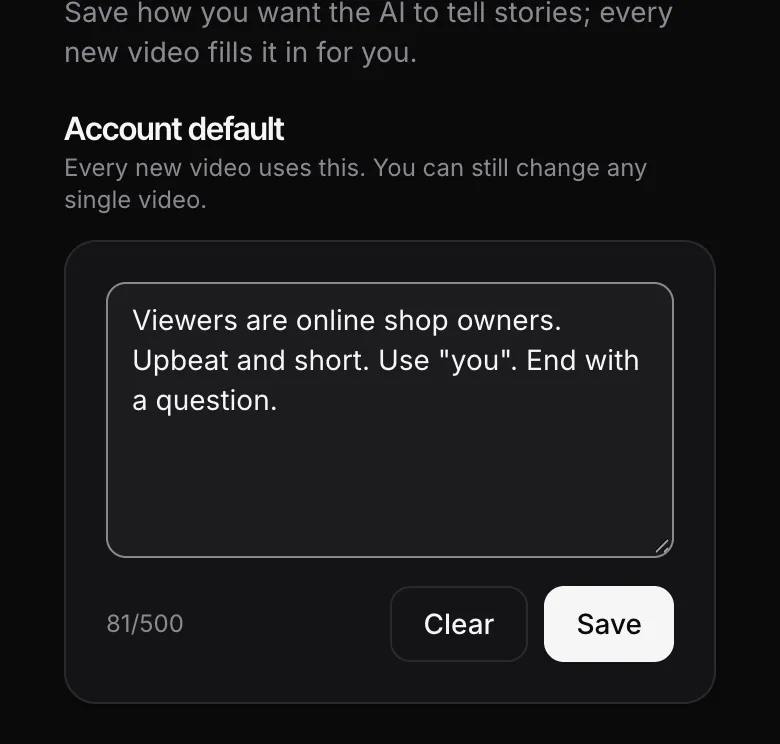
AI instructions are a note you save once in Setup. After that, every time you paste an article link to make a video, ainius fills them into the brief box for you, so you don't have to type them again.
Updated 17 October 2026
Where to set them
- Open Setup from the sidebar (the bottom bar on a phone) and choose “AI instructions”.
- Type your instructions, up to 500 characters, then tap Save.
- To remove them completely, tap Clear.
Note: Shortcut: on the Create screen, type in the brief box and tap “Save as default” right below it.
What you can ask for
Instructions change how the story is told, not what it says. Good things to include:
- Audience: e.g. “viewers are online shop owners”, “parents of young kids”.
- Tone: upbeat, friendly, or serious like an evening news bulletin.
- How to address viewers: e.g. talk to them as “you”.
- Pacing: short sentences, only the 3 main points.
- Ending: a question, a tip or a memorable number.
Note: You can't set the video length in the instructions. Pick the length with the length buttons on the Create screen as before.
What they can't change
- The topic and title always follow the article you paste. An instruction like “talk about something else” won't pull the video off the article.
- ainius only uses facts from the article and doesn't look up extra numbers elsewhere.
Skip them for one video
- Paste an article link on the Create screen. Your instructions fill the brief box, with “Using your default instructions” shown below it.
- Tap “Skip for this video”: the box empties and this video is made without them.
- Changed your mind? Tap “Use default instructions” to fill them back in.
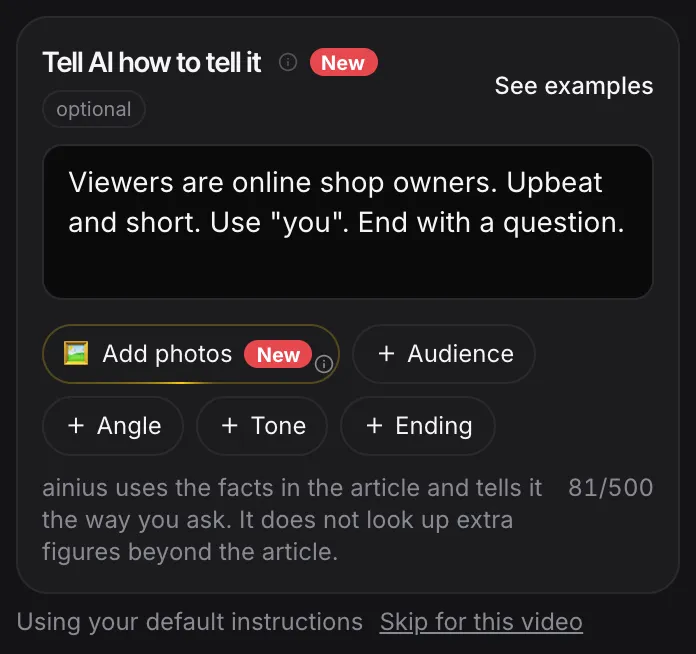
Note: You can also edit the text in the box for just that video. Your saved instructions stay the same unless you tap “Save as default”.
FAQ
Do AI instructions cost extra credits?
No. Videos cost the same credits as usual.
When are they used?
When you paste an article link on the Create screen, because the brief box only appears then.